By Claus Hetting, WiFi NOW CEO & Chairman
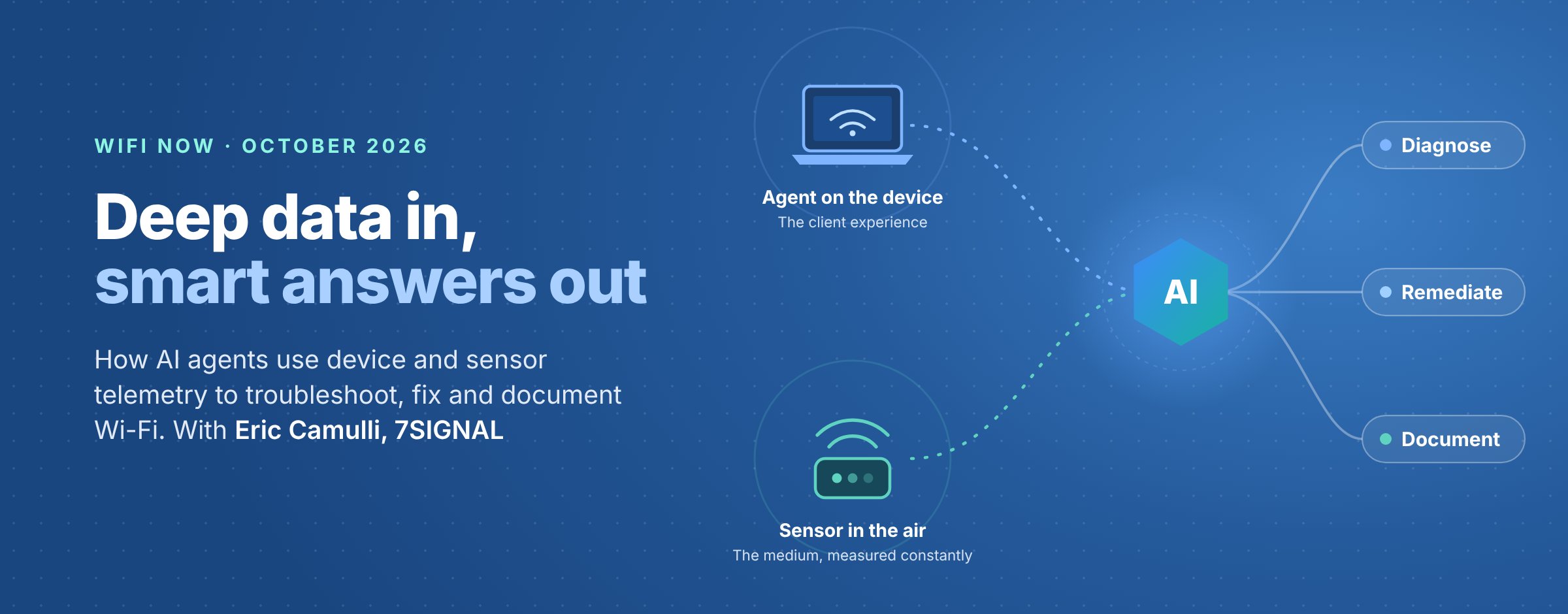
AI can only troubleshoot Wi-Fi as well as the data it is fed. At the WiFi NOW DVT Forum 2026 in October 2026, Eric Camulli, Head of Customer Transformation at 7SIGNAL, showed how measurements from client devices and in-room sensors let AI agents find, fix and document Wi-Fi problems in about a minute.
Most enterprise networks are still judged by what the infrastructure reports about itself. Camulli argued that this is no longer enough once AI sits on top. “AI loves data, and that’s what’s going to make sure that we don’t get those hallucinations,” he told the audience. 7SIGNAL’s shorthand for the idea is deep data in, smart answers out.
Watch Eric Camulli’s full presentation and video demonstrations here.
In a short session, Camulli set out two “outside-in” vantage points, the device and the air. He then ran two live demos: one in Microsoft Copilot Studio and one in Claude. In both, an AI agent worked across several systems to diagnose a problem, fix it and log the fix.
Key takeaways:
- Two vantage points beat one. A software agent on the device shows what users experience. A fixed sensor in the air provides a controlled baseline.
- Measure how the network feels. Throughput, packet loss, latency and jitter are tested every few minutes. Device data is collected every minute.
- Deep data keeps AI honest. Every conclusion should trace back to a real sensor KPI or device reading.
- AI becomes the orchestration layer. Through MCP and APIs, one AI agent can query 7SIGNAL, a Cisco controller, Microsoft Intune and Jira in the same conversation.
- Fix it, then write it down. In the Claude demo, the agent wrote a detailed Jira ticket of what it found and did.
Two outside-in vantage points
Eric Camulli’s core point is that the network should be measured “as it’s actually lived – not as the infrastructure narrates it.” 7SIGNAL does this from two places.
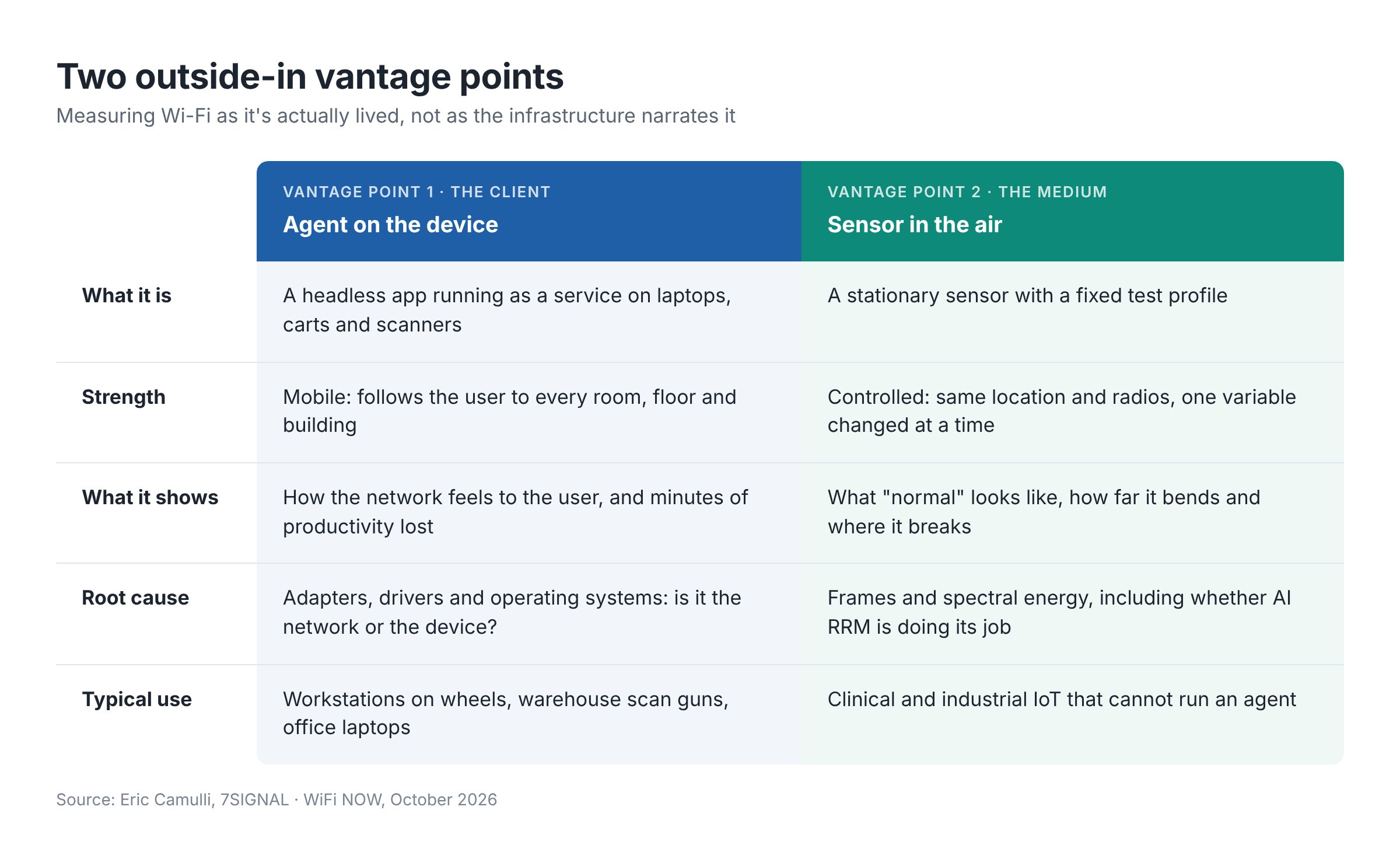
The device view answers the questions help desks hear every day. Why does Wi-Fi work here but not there? Why for her but not for me? Why yesterday but not today? A record of where a device went and what it experienced gives the data to diagnose those complaints.
The sensor is the control. “The air isn’t constant, so measure it constantly,” as the slide put it. Because it runs the same rigorous test plan every day, it can baseline what the network delivers when empty, when full and in between. Continuous packet captures and spectrum analysis add a view of the frames and energy in the air.
Where to deploy agents and sensors
How many devices get an agent depends on how proactive you want to be and how critical the Wi-Fi is. Camulli’s examples:
- Hospitals. With 1,000 workstations on wheels, put the agent on all of them. A nurse who can see eight or nine patients an hour instead of seven depends on the network.
- Global offices. With 10,000 employees, “sprinkle” agents on 50 to 100 devices per office. This crowdsources a picture of each building’s Wi-Fi experience, which AI can then piece together.
- IoT-heavy sites. Blood pressure monitors, wireless IV pumps, hospital beds and industrial telemetry cannot host an agent. Sensors fill that gap.
From raw data to analytics
The platform is built in three layers, each feeding the next.
- Data collection. The agent records make, model, adapter, driver, OS version and spatial streams. It also logs VPN status, channel, signal strength and Wi-Fi generation every minute. The sensor controls its own supplicant, so it sees every step of joining a network, and adds packet captures and passive scans.
- Test execution. Short throughput, packet loss, latency and jitter tests run every few minutes from both agent and sensor. Tests are kept short to avoid spiking CPU or memory. Targets include iPerf, Speedtest or 7SIGNAL’s own Docker endpoint, which can run in every data centre to test the full path through each router, switch and gateway.
- Analytics. The data is turned into an experience score plus findings on roaming, coverage, congestion, interference, connectivity (radio attach, RADIUS, DNS, DHCP) and connection quality.
Camulli flagged client mix as a real-world issue. Organisations often buy laptops 500 at a time, months apart, so one group may have Wi-Fi 6 adapters and the next Wi-Fi 7. Knowing which is which explains a lot about what each user can achieve.
Demo 1: fleet-wide roaming fix with Copilot and Intune
The first demo used Iris, 7SIGNAL’s AI assistant, built as an agent in Microsoft Co-pilot Studio. The prompt was simple: list any Windows devices with roaming problems in the past 30 days, and show remediation options.
- Eyeris queried 7SIGNAL’s dataset across the Windows fleet.
- It ranked devices by severity. The top case was a Dell Precision laptop with 100 minutes of roaming impact in 30 days, “100 minutes of poor productivity.”
- It checked Microsoft Intune for available fixes, such as adjusting roaming aggressiveness, setting a preferred band, or a sticky client reset that restarts the adapter so it roams to the nearest AP.
- It recommended a fix per device and offered to trigger the Intune PowerShell remediations.
The whole run took about a minute, versus hours or days by hand. Camulli paused for approval in the demo, but said the agent can be told to act on its own: open a ticket and push the fix whenever it sees a problem.
Demo 2: troubleshooting an AP with Claude, Cisco and Jira
The second demo used Claude as what Camulli called the “orchestration layer”. It connected applications through MCP and APIs and brought them into one conversation.
- Responding to a user complaint, Camulli asked Claude to check 7SIGNAL for radio attach issues. He also asked it to check the Cisco controller for channel changes, to rule an RRM problem in or out.
- 7SIGNAL showed a lab access point partly failing on radio attach and beacon availability
- The Cisco controller showed zero configuration channel changes, so RRM was ruled out. Claude suggested rebooting the AP.
- 7SIGNAL confirmed zero clients on the radio, so the reboot was safe mid-day. The reboot command was accepted.
- Claude created a Jira ticket with the findings, the steps taken and the recommended action.
- A minute later, a health check on the AP showed radio attach, signal strength, retries, throughput, MOS and ping round-trip time all looking good. The ticket could then be updated in the same chat.
“Super important not just to do it, but also document what you’re doing,” moderator Claus Hetting noted. “Exactly,” Eric Camulli replied. “And you can have AI do that.”
Why deep data matters for agentic workflows
Camulli closed with the benefits of feeding AI a deep dataset:
- Fewer hallucinations. Answers rest on real telemetry.
- Auditable. Each conclusion traces to a specific sensor KPI or device reading.
- Faster triage. Seconds to classify and route, not manual correlation.
- Consistent at scale. The same scoring method across every site and client.
- Specific root cause. It points to the AP, RF, authentication or configuration, not vague symptoms.
- Closed loop. Webhook to agent to enriched ticket, end to end.
What it means for Wi-Fi teams
The message for Wi-Fi teams is that AI tools are only half the story. The data they reach matters just as much. Copilot Studio and Claude can already chain diagnosis, remediation and documentation across vendors in about a minute. Whether the result can be trusted depends on telemetry from where users and devices actually are, not just from the access points. Camulli summed up the next generation of workflow orchestration in four words: “Deep data in, smart answers out.”
About the speaker
Eric Camulli is Head of Customer Transformation at 7SIGNAL, a Wi-Fi experience monitoring company. He presented Enterprise AI Workflows: Leveraging outside-in vantage points for automating troubleshooting, remediation and documentation at WiFi NOW in October 2026. Contact: [email protected].
/Claus.